

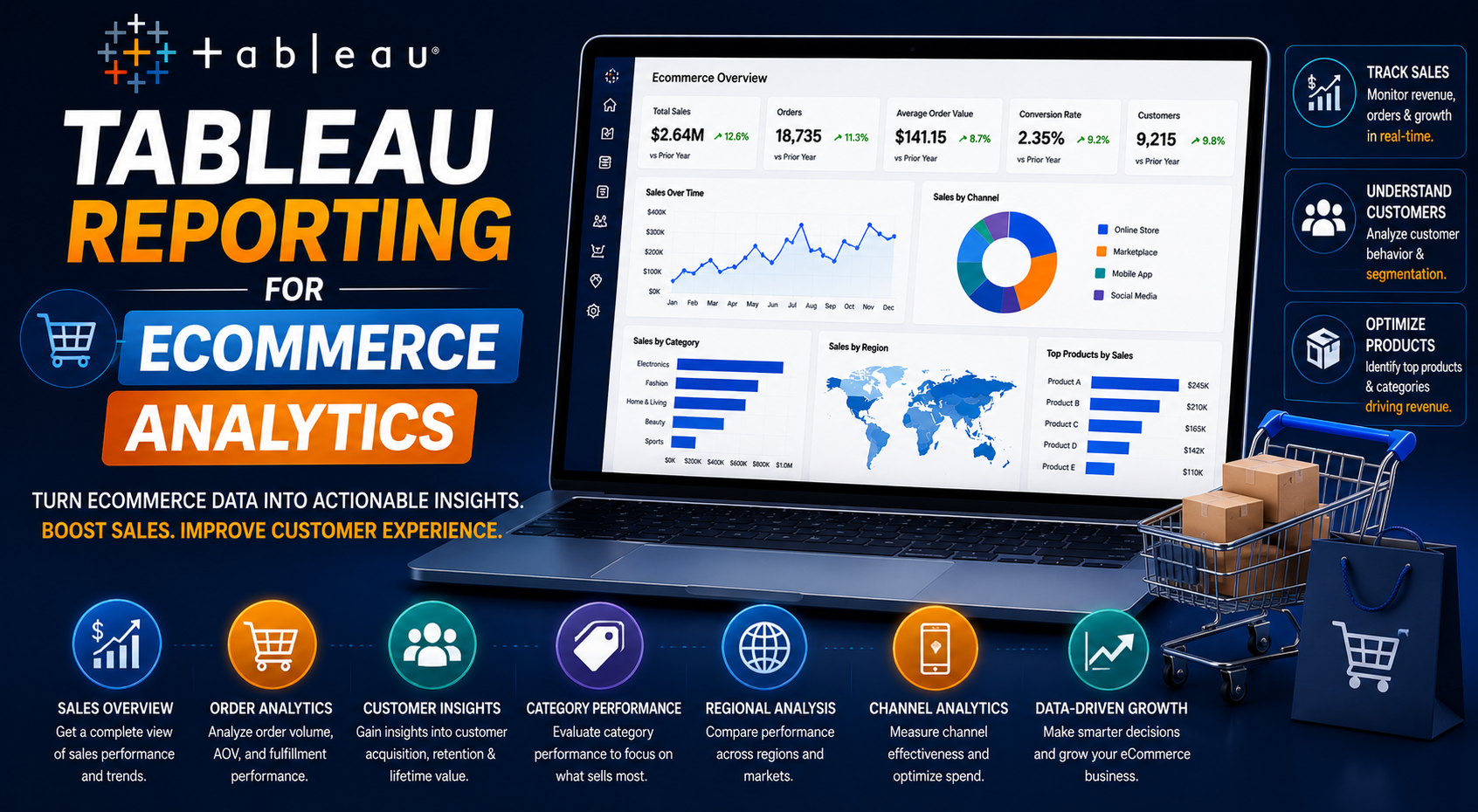
The ecommerce industry has become one of the most data-driven sectors in the modern digital economy. Every customer interaction, website visit, purchase, cart abandonment, marketing campaign, and inventory movement generates valuable data that businesses can use to improve performance and drive growth.
However, collecting data alone is not enough. Ecommerce businesses must transform raw information into actionable insights that support:
- Better customer experiences
- Smarter marketing decisions
- Revenue optimization
- Inventory management
- Operational efficiency
This is where Tableau has become a powerful analytics solution for ecommerce organizations. Tableau enables ecommerce businesses to build interactive dashboards, real-time sales reports, customer analytics systems, marketing performance dashboards, inventory tracking solutions, and executive KPI reports.
At KnexBI, ecommerce businesses increasingly implement Tableau reporting systems to improve operational visibility, centralize analytics, and scale data-driven decision-making across teams. In this article, we’ll explore how Tableau reporting helps ecommerce analytics, the major use cases, reporting strategies, performance optimization methods, and why Tableau continues growing as a leading business intelligence platform for ecommerce companies.
Why Ecommerce Businesses Need Advanced Analytics
Modern ecommerce operations are highly complex. Businesses often manage data from multiple siloed systems, including ecommerce platforms, payment gateways, CRM systems, marketing tools, inventory software, shipping platforms, and customer support systems.
Without centralized analytics, businesses struggle to:
- Understand customer behavior
- Track profitability
- Monitor marketing ROI
- Optimize operations
- Forecast demand
Traditional spreadsheets and static reports are no longer sufficient for fast-moving ecommerce environments. Companies now require real-time dashboards, automated reporting, predictive analytics, interactive visualizations, and cross-platform reporting. This growing demand has heavily driven the adoption of Tableau in ecommerce analytics.
What is Tableau Reporting in Ecommerce?
Tableau reporting refers to the process of using Tableau dashboards and visualizations to analyze ecommerce business performance. Ecommerce teams leverage the platform to consolidate data from multiple sources, build custom visual dashboards, monitor key performance metrics, identify hidden market trends, and drill into customer behavioral nuances.
Instead of manually reviewing static spreadsheets, businesses use interactive dashboards to monitor ecommerce performance in real time, improving both velocity and accuracy in macro business decisions.
Key Ecommerce Metrics Tableau Helps Track
One of Tableau’s biggest structural advantages is its capability to centralize disparate ecommerce KPIs into unified reporting screens.
Common ecommerce metrics trackable within Tableau include:
- Revenue growth & conversion rates
- Customer Acquisition Cost (CAC) & Customer Lifetime Value (CLV)
- Average Order Value (AOV) & repeat purchase rate
- Cart abandonment rate & customer retention rate
- Return on Ad Spend (ROAS) & inventory turnover
1. Sales Performance Reporting
Sales analytics stands out as one of the most critical foundational ecommerce reporting use cases. Tableau dashboards help operational leaders monitor daily sales, monthly revenue, product-specific margin performance, regional trends, and clear comparisons across sales channels.
With these clean visual assets, ecommerce organizations can immediately pinpoint top-selling items, map out seasonal demand spikes, flag underperforming product segments, and discover net-new revenue streams. Real-time sales visibility dramatically upgrades strategic planning and supply chain responses.
2. Customer Behavior Analytics
Deeply understanding user actions is critical for long-term growth. Tableau enables analysts to dissect end-to-end customer journeys, site browsing behavior, recurring purchase cycles, clear product preferences, and targeted behavioral customer segmentation.
By isolating high-value customer cohorts, observing micro-level purchase frequencies, and uncovering behavioral discrepancies across separate shipping geographies, brands can deploy personalized site experiences and highly optimized conversion plays.
3. Marketing Campaign Reporting
Modern online brands deploy large advertising budgets across Google Ads, diverse social media networks, programmatic channels, organic SEO, email setups, and influencer campaigns. Tableau helps marketing departments securely ingest these multi-channel streams into an analytical baseline.
Marketing dashboards comprehensively track:
- Granular ad performance and spend pacing
- Blended and platform-specific cost per acquisition
- Conversion trends across specific visual creative assets
- Channel-level attribution modeling and total campaign ROI
This single pane of glass allows growth marketers to pivot ad spend using real-time insights rather than waiting on lagging, end-of-month spreadsheets.
4. Cart Abandonment Analysis
Cart abandonment continues to be a persistent friction point in digital retail. Tableau visualizes checkout drop-off paths, payment gateway friction points, device-specific checkout bugs, and product-level drop patterns.
Analytics teams can visually investigate precisely why users stall out, which pricing configurations spark abandonment, and how localized UI adjustments modify completion percentages. Reclaiming even a fraction of abandoned baskets yields immediate revenue improvements.
5. Inventory and Supply Chain Reporting
In-bound inventory management directly shapes back-end operational profitability. Tableau facilitates precise operational workflows via real-time stock-level visualization, inventory turnover health dials, vendor shipping timeliness matrices, and localized warehouse layout efficiencies.
Tracking fast-moving lines alongside overstock write-off risks and configuring automated low-stock threshold alerts ensures that brands protect their margins while preventing critical stockouts.
6. Customer Retention and Loyalty Analytics
Retaining existing customers is far more cost-effective than continually financing customer acquisition. Tableau dashboards give lifecycle marketers crystal-clear visibility into repeat purchasing cycles, loyalty program redemption behavior, customer cohort churn curves, and macro customer lifetime value metrics.
Unpacking these retention mechanics helps businesses implement smart engagement programs, fine-tune transactional email journeys, and secure sustainable revenue baselines.
7. Ecommerce Funnel Analysis
The classic digital commerce funnel covers multiple complex web touchpoints. Tableau maps and highlights the exact proportional flows between macro website traffic, product page views, add-to-cart clicks, cart checkouts, and completed transactions.
This distinct step-by-step visibility reveals exact user experience issues, broken links, or pricing sticker shocks that disrupt the shopping process, making conversion rate optimization highly accurate.
8. Regional and Geographic Analytics
E-tailers routinely service multi-state or global consumer groups. Tableau’s integrated geospatial rendering engine effortlessly turns geolocation data into interactive map screens highlighting performance hubs, localized distribution patterns, shipping speed zones, and hidden market opportunities.
9. Real-Time Ecommerce Dashboards
High-velocity commercial events demand instant data streams. Tableau surfaces live operational insights monitoring flash sale traffic peaks, inventory movements during promotions, processing volumes, and erratic shifts in marketing efficiency—giving ops teams the agility to course-correct immediately.
10. Executive Reporting for Ecommerce Leadership
C-suite executives need an aggregated, low-noise overview of commercial performance. Tableau consolidates high-level revenue tracks, blended ad efficiencies, net margins, and rolling inventory liabilities onto clean executive dashboards. Leadership teams gain an uncompromised view of corporate health without ever drowning in disconnected data silos.
Data Sources Commonly Used in Ecommerce Tableau Reporting
Tableau provides standard and optimized native API connectors to interface cleanly with foundational modern technology infrastructure components, including:
- Cloud Data Warehouses (Google BigQuery, Snowflake, AWS Redshift)
- Storefront Infrastructures (Shopify Plus, Magento, WooCommerce)
- Web Behavior Engines (Google Analytics 4, Adobe Analytics)
- Enterprise Backends (ERP databases, localized SQL instances, CRM ecosystems)
Benefits of Tableau Reporting for Ecommerce Businesses
Deploying centralized BI dashboards within a retail organization unlocks unique structural benefits:
- Better Data-Driven Decisions: Removes guesswork by anchoring day-to-day operations to proven consumer metrics.
- Optimized Ad Costs: Transparent attribution allows teams to instantly defund low-performing channels and scale high-ROAS hooks.
- Tight Supply Operations: Accurate inventory and vendor analytics cut down warehouse carrying overhead and stock holding strain.
- Enterprise Scale: Provides an expandable framework capable of ingesting billions of streaming web rows as storefront operations grow.
Common Challenges in Ecommerce Tableau Reporting
Despite its visual strengths, organizations may encounter roadbumps during their data deployment journey. These often center around unstructured multi-platform data models, dashboard performance lag caused by complex unoptimized queries, tracking logic silos between Google Analytics and internal ERPs, and lack of version control across shared files.
Mitigating these bottlenecks calls for robust pre-dashboard architecture planning, clean semantic layer pipelines, and strict visual governance.
Tableau Best Practices for Ecommerce Analytics
To get the fastest performance and highest accuracy from an analytics stack, keep these development directives top of mind:
- Leverage Unified Modeling: Resolve calculation discrepancy logic prior to pushing data to the visualization layer.
- Govern Visual Clutter: Limit a single view to 4-5 key cards to keep page loads fast and insights immediately digestible.
- Utilize Extracts Strategically: Deploy optimized extracts for massive historical logs, and reserve live connections for narrow real-time pipelines.
- Optimize for Mobile Consumption: Structure flexible dashboard layouts for field ops and executive teams monitoring stats on the go.
How KnexBI Helps Ecommerce Businesses with Tableau Reporting
At KnexBI, we specialize in building enterprise-grade Tableau infrastructure designed to handle the fast pace of modern digital commerce.
Our specialized team partners with brands to:
- Design and map centralized cloud analytics data warehouses
- Optimize and tune legacy workbook performance and slow query loads
- Integrate custom store, marketing, and fulfillment platforms into a clean single source of truth
- Formulate predictive LTV and retention modeling dashboards
Our direct, technical approach frees your analytics teams from manual reporting work and builds an agile data culture that drives real revenue growth.
How Tableau Reporting is Powerful Solution
Tableau reporting stands out as an indispensable tool for online retail because it successfully converts messy, multi-channel transactional streams into cohesive, visual intelligence. Whether you are optimizing ad creative spend, managing stock turn dynamics across warehouses, or tracking high-level executive KPIs, it serves as the central visual hub for the entire operation.
As ecommerce spaces become more competitive in 2026 and beyond, businesses that build unified, highly responsive visual data infrastructures will maintain a serious leg up in operational speed, margin preservation, and customer experience.