

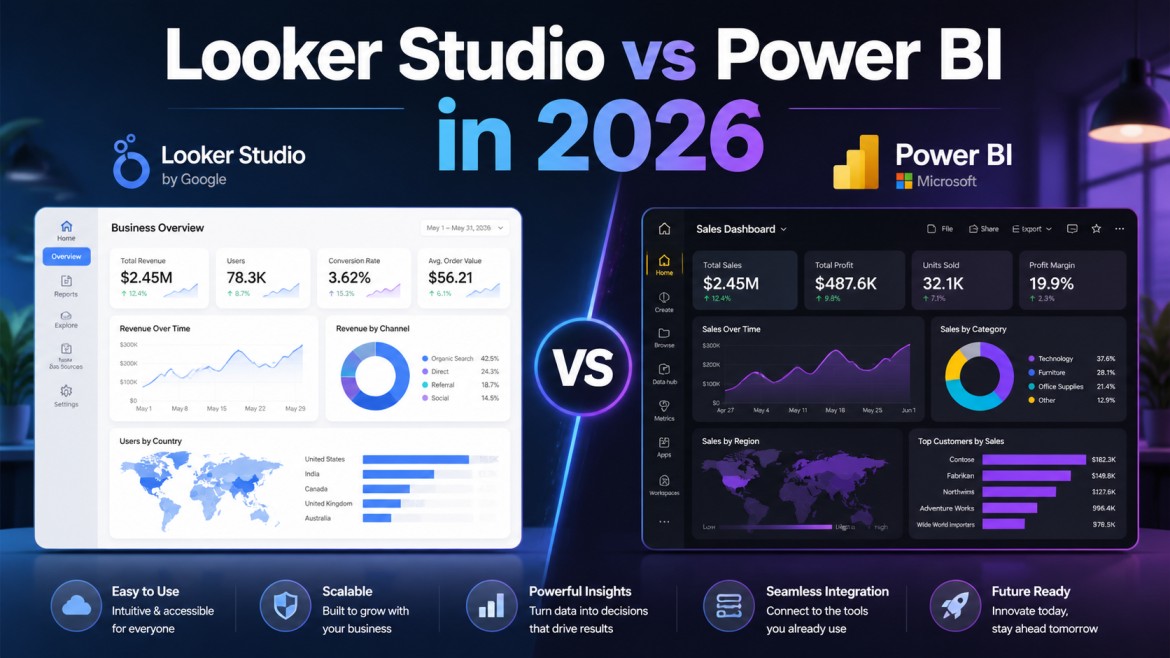
In today's data-driven business environment, organizations rely heavily on analytics platforms to transform raw data into actionable insights. Among the most widely used business intelligence tools, Looker Studio and Microsoft Power BI continue to dominate the analytics landscape in 2026.
Both platforms help businesses create dashboards, generate reports, visualize data, and improve decision-making. However, despite serving similar purposes, Looker Studio and Power BI differ significantly in areas such as pricing, scalability, performance, integrations, AI capabilities, customization, and enterprise analytics.
As businesses increasingly adopt cloud analytics, AI-powered reporting, and real-time dashboards, choosing the right platform has become more important than ever.
In this detailed comparison, we will explore Looker Studio vs Power BI in 2026, including their features, advantages, limitations, pricing, and ideal use cases to help businesses determine which solution best fits their analytics requirements.
What is Looker Studio?
Looker Studio, previously known as Google Data Studio, is Google's cloud-based reporting and dashboard platform designed for data visualization and business reporting.
It is widely used for:
- Marketing analytics
- SEO reporting
- Website analytics
- Advertising dashboards
- Campaign reporting
- Real-time cloud dashboards
Looker Studio integrates seamlessly with the Google ecosystem, including:
- Google Analytics 4
- Google Ads
- BigQuery
- Search Console
- YouTube Analytics
- Google Sheets
Because of its simplicity and free accessibility, Looker Studio is especially popular among marketers, agencies, startups, and small businesses.
What is Power BI?
Power BI is Microsoft's enterprise business intelligence platform designed for advanced analytics, data modeling, and enterprise reporting.
Power BI provides:
- Advanced data visualization
- Enterprise-grade analytics
- AI-powered insights
- Data transformation
- Real-time analytics
- Predictive reporting
The platform integrates deeply with:
- Microsoft Excel
- Azure
- SQL Server
- Dynamics 365
- Microsoft Fabric
- SharePoint
- Salesforce
- SAP
Power BI is widely adopted by enterprises, finance teams, manufacturing companies, healthcare organizations, and large-scale operations due to its scalability, governance, and advanced analytics capabilities.
Looker Studio vs Power BI: Core Differences
1. Ease of Use
Looker Studio
Looker Studio is known for its simplicity and beginner-friendly interface. Users can quickly create reports using drag-and-drop functionality without extensive technical expertise.
This makes it ideal for marketing teams, small businesses, and non-technical users. The learning curve is relatively low compared to enterprise BI platforms.
Power BI
Power BI is also user-friendly but offers significantly more advanced functionality. While beginners can create dashboards easily, advanced features like DAX calculations, data modeling, Power Query, and AI analytics require technical knowledge and training.
Winner: Beginners — Looker Studio | Advanced analytics users — Power BI
2. Data Visualization Capabilities
Looker Studio
Looker Studio provides clean and interactive dashboards suitable for marketing and operational reporting. Supported visuals include bar charts, tables, scorecards, geo maps, pie charts, and time-series charts. However, customization options remain somewhat limited for complex enterprise reporting.
Power BI
Power BI offers far more advanced visualization capabilities with custom visuals, advanced charting, interactive drill-downs, dynamic storytelling, AI visuals, and enterprise dashboards. Power BI also supports third-party visualization extensions for highly customized reporting environments.
Winner: Power BI
3. Data Integration and Connectivity
Looker Studio
Looker Studio excels within Google's ecosystem and connects easily with GA4, BigQuery, Google Ads, and Search Console. However, integration with external enterprise systems may require third-party connectors.
Power BI
Power BI supports hundreds of enterprise connectors, including SQL databases, ERP systems, CRM platforms, cloud warehouses, APIs, Excel, and Azure services. This flexibility makes Power BI more suitable for large-scale business environments.
Winner: Power BI
4. Pricing Comparison
Looker Studio
One of Looker Studio's biggest advantages is its pricing. It offers free access, no licensing cost, cloud-based deployment, and affordable scalability. This makes it highly attractive for small businesses, freelancers, agencies, and startups.
Power BI
Power BI follows a subscription-based pricing model with plans such as Power BI Pro, Power BI Premium, and Fabric-integrated licensing. While affordable for enterprises, costs can increase significantly with large-scale deployments and premium analytics requirements.
Winner: Looker Studio for affordability
5. Advanced Analytics and AI Features
Looker Studio
Looker Studio offers basic analytics and reporting capabilities. While Google continues adding AI-powered functionality, advanced predictive analytics remains limited. It is primarily focused on reporting, visualization, and marketing analytics.
Power BI
Power BI leads significantly in advanced analytics with features such as AI-driven insights, machine learning integration, predictive analytics, natural language querying, Microsoft Copilot, and automated forecasting. Integration with Microsoft Fabric further strengthens Power BI's analytics ecosystem in 2026.
Winner: Power BI
6. Performance and Scalability
Looker Studio
Looker Studio performs well for lightweight dashboards and moderate datasets. However, performance can slow down with large datasets, complex dashboards, and multiple connectors. This limitation affects enterprise-scale deployments.
Power BI
Power BI is designed for enterprise scalability and can handle massive datasets, complex models, multi-department reporting, and enterprise governance. It also provides better optimization tools for dashboard performance tuning.
Winner: Power BI
7. Real-Time Reporting
Looker Studio
Looker Studio supports real-time data updates for Google-based data sources, making it ideal for live campaign monitoring, website traffic reporting, and marketing dashboards.
Power BI
Power BI also supports real-time dashboards through streaming datasets, live connections, and Azure integrations. Its enterprise architecture provides greater flexibility for operational reporting.
Winner: Tie (depends on use case)
8. Collaboration and Sharing
Looker Studio
Looker Studio offers Google-style collaboration similar to Google Docs. Users can share reports instantly, collaborate in real time, and control access permissions easily. This simplicity is highly effective for teams.
Power BI
Power BI provides enterprise-grade collaboration with secure workspaces, governance policies, role-based access, and Microsoft Teams integration. It is more suitable for organizations with strict compliance requirements.
Winner: Simple collaboration — Looker Studio | Enterprise governance — Power BI
9. Security and Governance
Looker Studio
Looker Studio provides standard Google Cloud security but offers fewer governance features for enterprise data management.
Power BI
Power BI provides row-level security, enterprise governance, compliance management, data sensitivity labels, and advanced access controls. This makes Power BI far more secure for large enterprises.
Winner: Power BI
10. Best Use Cases
When to Choose Looker Studio
Looker Studio is ideal for:
- Marketing agencies
- SEO reporting
- Small businesses and startups
- Lightweight dashboards
- Google ecosystem users
When to Choose Power BI
Power BI is ideal for:
- Enterprises and large-scale operations
- Advanced analytics and financial reporting
- Manufacturing and healthcare analytics
- Enterprise governance and compliance
- AI-powered analytics
Looker Studio vs Power BI: Final Comparison Table
| Feature | Looker Studio | Power BI |
|---|---|---|
| Ease of Use | Excellent for beginners | Moderate |
| Pricing | Mostly free | Subscription-based |
| Data Visualization | Good | Advanced |
| AI & Predictive Analytics | Limited | Excellent |
| Enterprise Scalability | Moderate | Excellent |
| Data Modeling | Basic | Advanced |
| Real-Time Analytics | Good | Excellent |
| Security & Governance | Basic | Enterprise-grade |
| Google Ecosystem | Excellent | Moderate |
| Microsoft Ecosystem | Limited | Excellent |
Which Tool is Better in 2026?
The answer depends entirely on business requirements.
Choose Looker Studio if your organization:
- Primarily uses Google products
- Needs affordable dashboards
- Focuses on marketing analytics
- Requires simple reporting
Choose Power BI if your organization:
- Requires enterprise analytics
- Handles complex datasets
- Needs advanced AI capabilities
- Requires strong governance and scalability
In 2026, Power BI continues leading enterprise analytics, while Looker Studio remains a powerful and cost-effective solution for marketing and lightweight reporting environments.
Which One Is The Best BI Platform?
Both Looker Studio and Power BI are powerful business intelligence platforms, but they serve different audiences and business needs.
Looker Studio excels in:
- Simplicity and accessibility
- Marketing analytics
- Google integrations
Power BI dominates in:
- Enterprise analytics
- Advanced reporting
- AI-powered insights
- Scalability and governance
Businesses should evaluate their budget, technical expertise, data complexity, reporting requirements, and scalability needs before selecting a platform.
As analytics technologies continue evolving, organizations that choose the right BI solution will gain a significant competitive advantage through smarter, faster, and more data-driven decision-making.






