

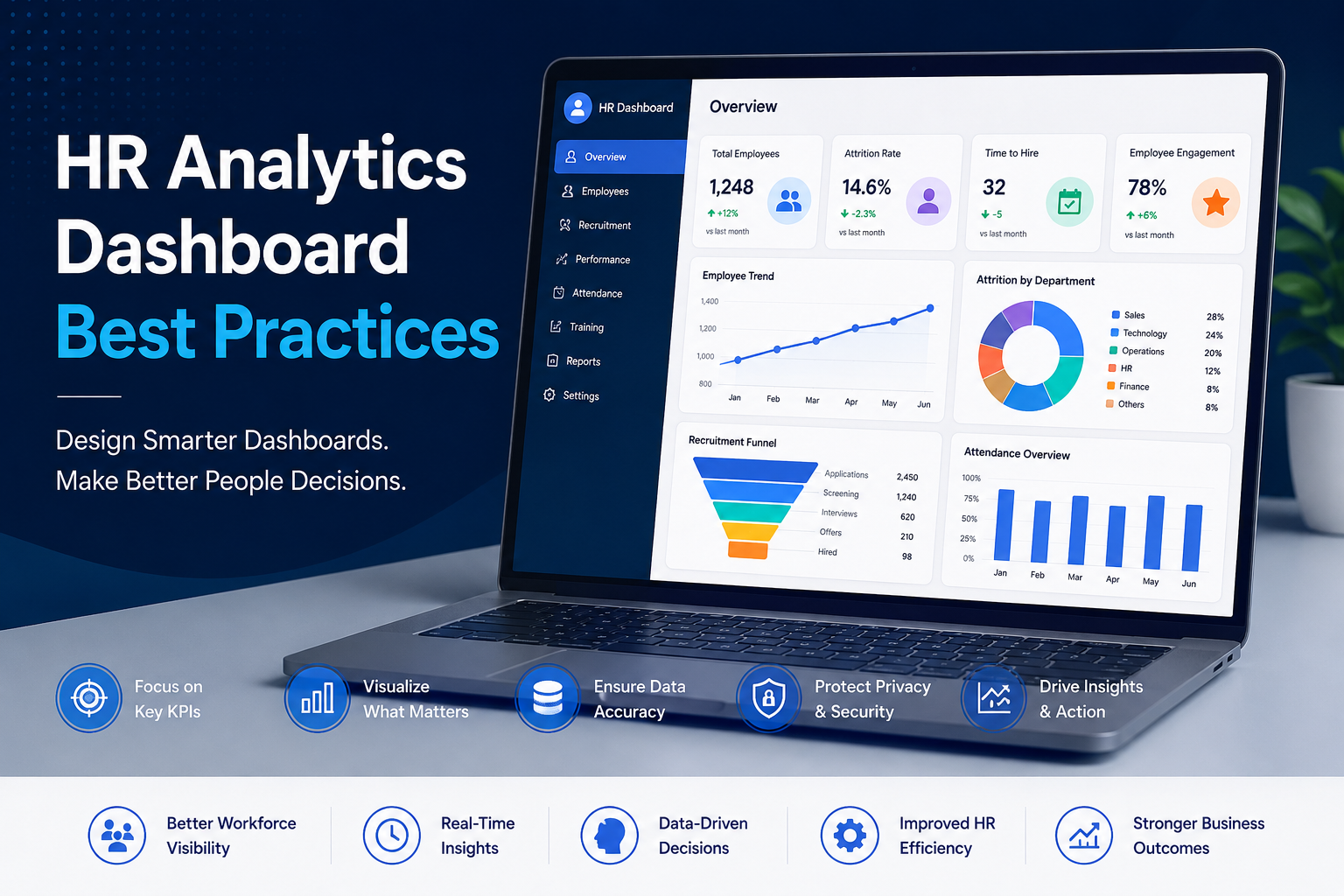
Human resource management has become increasingly data-driven in modern organizations. Businesses today rely heavily on analytics to improve workforce planning, employee performance, recruitment efficiency, retention strategies, and organizational productivity.
As enterprises generate growing volumes of workforce data, HR teams require better ways to analyze and interpret information quickly. This is where HR analytics dashboards play a critical role.
HR analytics dashboards transform complex employee and workforce data into interactive visual reports that help organizations make smarter people-related decisions. Modern HR departments analyze data related to:
- Recruitment pipelines and candidate conversions
- Employee engagement and satisfaction
- Attrition and talent retention rates
- Workforce diversity and demographics
- Workforce productivity, compensation, and attendance
- Performance management mapping
Without effective data visualization, understanding workforce trends becomes difficult and time-consuming. At KnexBI, organizations increasingly modernize HR reporting systems using platforms such as Microsoft Power BI, Tableau, and Looker Studio to build scalable HR analytics dashboards and improve workforce intelligence.
In this article, we’ll explore the best practices for building effective HR analytics dashboards, common challenges organizations face, and how businesses can improve workforce reporting and decision-making through modern data visualization strategies.
Why HR Analytics Dashboards Matter
Human resource departments manage enormous amounts of employee-related data across HRMS platforms, payroll systems, attendance software, recruitment tools, employee surveys, and performance management systems.
Traditional HR reporting often depends heavily on static spreadsheets, manual files, and repetitive, point-in-time analysis. These legacy methods create severe organizational limitations:
- Delayed reporting loops that fail to capture current team dynamics
- Inconsistent metrics across separate regional offices
- Human errors during manual data aggregation
- Reduced executive workforce visibility
HR analytics dashboards centralize these workforce insights into cohesive, interactive reporting environments. This transparency allows HR leaders to monitor workforce trends in real time, track core employee KPIs, flag retention risks early, and improve strategic workforce planning.
The Growing Importance of HR Analytics
Organizations increasingly recognize employees as critical, strategic business assets. As a result, modern enterprises heavily prioritize workforce optimization, active employee engagement, talent retention, targeted diversity initiatives, and performance analytics.
HR analytics helps companies visually uncover workplace bottlenecks, optimize hiring cycles, boost departmental productivity, and back up HR initiatives with clear evidence. Data visualization layout structures make complex people metrics straightforward to interpret for executive leadership.
1. Focus on Business-Relevant HR KPIs
One of the most common design missteps is building dashboards crammed with excessive, superficial metrics. Effective dashboards isolate the key indicators that align directly with corporate goals.
Core HR dashboard KPIs should prioritize:
- Employee Turnover Rate: Distinguishing between voluntary and involuntary departures.
- Recruitment Velocity: Tracking time-to-hire and total recruitment cost.
- Operational Absence: Monitoring absenteeism patterns and lost productivity days.
- Talent Growth: Measuring training completion scores and performance benchmarks.
Focusing on highly relevant metrics upgrades dashboard utility and ensures management can execute operational plays quickly.
2. Keep Dashboard Design Simple and Clear
An HR dashboard's primary goal is to simplify decision-making, not cause information overload. Layouts cluttered with excessive charts, overlapping text blocks, and far too many filter menus obscure valuable people insights.
The most effective tools leverage an uncompromised, clean visual hierarchy—placing high-level workforce totals at the top left of the screen and setting clear contrast parameters for easy scannability.
3. Use the Right Visualizations
Choosing an incorrect chart format makes employee data confusing to interpret. BI developers should tie specific datasets to proven visual templates:
- Line graphs for mapping out long-term historical turnover velocities
- Bar charts for direct head-count comparisons across separate business units
- KPI summary cards for spotlighting immediate headcount changes
- Heat maps for identifying localized absence spikes over calendar intervals
Avoiding unnecessary or overly complicated graphics keeps views intuitive and accessible for non-technical team leads.
4. Prioritize Real-Time Workforce Visibility
Fast-moving business environments can no longer depend on static reports compiled at the end of the quarter. Real-time dashboards provide live data updates, enabling talent managers to instantly track recruitment pipeline drops, monitor intraday attendance shifts, gauge onboarding progress, and evaluate performance changes on the fly. This agility turns HR into a responsive, strategic partner.
5. Ensure Data Accuracy and Consistency
HR decisions directly impact human capital and budget lines, meaning data precision is non-negotiable. Poor underlying data quality sparks faulty retention analysis and untrusted metrics. Common backend culprits include duplicate employee profiles, outdated system records, and conflicting department labels across platform silos.
Solution: Build Centralized HR Data Models
Organizations should build centralized workforce semantic models that resolve database logic discrepancies before data hits the visualization layer. Automating validation steps and unifying metric definitions eliminates manual errors and builds absolute organizational trust in HR reports.
6. Optimize Dashboard Performance
Enterprise environments managing thousands of global records frequently experience workbook lag, slow filtering speeds, and server load spikes. Sluggish response times decrease tool adoption and frustrate internal users.
Solution: Use Optimized Data Architecture
Performance engineers must fine-tune backend query handling, build efficient data aggregation steps, utilize incremental extract refreshes, and leverage scalable cloud data platforms to keep screen loading swift and seamless.
7. Enable Department-Level Workforce Analysis
Separate corporate arms require distinct views into employee data. While C-level executives demand macroLook lookups on retention, organizational spend, and overall productivity, line recruiters need narrow metrics tracking active sourcing channel conversions. Building tailored, department-specific data filter views satisfies these unique requirements without complicating the user interface.
8. Design Mobile-Friendly HR Dashboards
Modern enterprise leaders constantly monitor workforce metrics across laptops, mobile phones, and tablets. Embracing responsive grid frameworks ensures that managers handling remote or hybrid work environments can securely review critical team analytics from anywhere.
9. Protect Employee Data and Privacy
Workforce analytics platforms deal directly with highly classified, personally identifiable details—such as individual pay bands, personal identity details, performance critiques, and medical leave documentation. Careless configuration poses massive compliance and regulatory risks.
Solution: Implement Role-Based Security
BI architects should strictly enforce robust security measures, including multi-factor authentication, end-to-end data row encryption, and granular row-level security (RLS). This ensures that managers only see information relevant to their direct reports, safeguarding data privacy.
10. Support Workforce Forecasting and Predictive Analytics
Modern workforce reporting is moving past retroactive evaluation. Advanced organizations incorporate predictive machine-learning pipelines directly into dashboard setups to evaluate employee churn risks, forecast seasonal hiring surges, and model retirement pipeline gaps. This insight allows team leaders to deploy retention plays proactively.
11. Use Data Storytelling in HR Reporting
Isolating high turnover values or low engagement scores means very little unless management understands the context behind the numbers. Visual analytics should act as a narrative guide—using explicit annotations, text summaries, and milestone marks to explain the "why" behind trends, pointing decision-makers toward actionable steps.
12. Integrate Multiple HR Data Sources
To build a complete workforce source of truth, analytics engines must integrate disparate data streams. Connecting HRMS cores, payroll files, ATS data pipelines, and internal feedback platforms into a unified cloud analytical layer ensures consistent reporting across the enterprise.
Most Important HR Dashboard KPIs
Enterprises typically organize their visual analytics scorecards around these primary performance indicators:
- Talent Retention: Rolling turnover trends and average tenure maps
- Hiring Pipeline: Sourcing channel yield metrics and time-to-hire speeds
- Workforce Inclusivity: Equal opportunity metrics and demographic weight grids
- Operational Absence: General absenteeism rates and team training completion timelines
Common Challenges in HR Dashboard Implementation
Deploying people analytics can create corporate bottlenecks if done without a solid strategy. Organizations frequently deal with messy data across disconnected old tools, low internal system adoption due to over-complicated user interfaces, and loose security permission controls.
Overcoming these hurdles calls for thorough dashboard design governance, scalable data processing models, and user-centered layout testing.
Future of HR Analytics Dashboards
The future of people analytics centers around cloud-native data streaming, automated AI insights, and conversational BI environments. HR leaders will increasingly use natural language prompts to auto-generate employee dashboards and run risk simulations, making visualization a core strategic asset.
How KnexBI Helps Businesses Build HR Analytics Dashboards
At KnexBI, we help modern enterprises transform fragmented employee records into highly secure, visually intuitive, and blazingly fast visual intelligence systems.
Our technical engineering teams specialize in:
- Building robust corporate dashboards in Power BI, Tableau, and Looker Studio
- Integrating siloed HRMS, ATS, and payroll data inputs into a unified cloud environment
- Optimizing and fixing slow dashboard load speeds and unoptimized data models
- Enforcing secure permissions and multi-layered row-level data security
Our targeted technical consulting removes the burden of manual report creation, giving your leadership teams the clean, accessible intelligence they need to optimize workforce performance and scale operations.






